Showing posts with label iTunes. Show all posts

Wednesday, May 8, 2013

App turns iPhone into a hearing aid

0 comments


 BioAid uses the microphone and headphone functions of smartphones to amplify the sounds around deaf users in real-time.
Many of those with hearing problems have consigned themselves to wearing a hearing aid – which can often be cumbersome and expensive. The SCS1000 smart watch has already made steps towards helping deaf people remain aware of their surroundings, and now UK-based project BioAid is harnessing the power of smartphones to provide an easier and cheaper way to amplify the sounds around them.
The concept is quite a simple one: the app takes in sounds from the user’s surroundings using the iPhone’s built-in microphone, amplifies it using algorithms tailored to the user, and plays it back through either the loudspeaker or headphones in real-time. Users can configure the app using one of six settings to best suit their condition, which can then be fine tuned even further.
alttext
Enhanced by Zemanta
Read more...

Tuesday, December 25, 2012

Get the Patch App for Your New Smartphone

0 comments

New electronic devices are one of the biggest gifts of the holidays, and now with smartphones, tablets and the like available, Patch has a free present for you.
You follow Patch on websites, Facebook pages and Twitter accounts, but have you downloaded our Patch app?
Well, now that you've got that new smartphone/tablet/fun electronic device, you should download the Patch app, which gives you up to the minute information from your local Patch site.
You can search through the App Store on your device, or you can click here to get the Patch app for free on iTunes. Not only can you read news on it, but post photos and videos as well.
Your storm-battered neighbors will attest, the Patch app was a big help when the power went out for days at a time in recent months.
Enhanced by Zemanta
Read more...

Thursday, January 26, 2012

5 incredibly useful iPhone apps for Indians!

0 comments
Here are 5 India centric iPhone apps that will arm you will all the necessary information you need while you’re in the country. But, one thing you have to keep in mind, unlike Android Apps, most of the good apps on iPhone are paid ones, though they are mostly at cost of just couple of dollars.

Sari

sari drape 5 incredibly useful iPhone apps for Indians!
For all the women out there in India and abroad who want to drape a sari but are relying on their mothers, a distant Indian friend or a YouTube video, your very own sari assistant is here. Developed by Siddhartha Banerjee, this app was on No. 4 in the list of the Top Paid Apps of iTunes India in March 2011. As the name suggests, this app is a step by step tutorial of sari draping. The makers say that more regional and international styles of sari draping and its interpretations are going to be upgraded on this app very soon.
Buy NowUSD 1.99/-

iPooja

ipooja 5 incredibly useful iPhone apps for Indians!
Wouldn’t it be great to conduct your daily pooja or get assistance regarding preparations of a pooja from your app in the case of unavailability of your priest? This app will arm you with high quality audio recording, step by step guidance to perform religious rites and ceremonies, information regarding the history of the pooja and the ‘Aarati’ with English text amongst many other features. The in-app iPooja store also allows you to load a variety of poojas in multiple languages.
Download Now – (App is free, but poojas come at a cost)

Meter Down

taxi meter down 5 incredibly useful iPhone apps for Indians!
If you are a Mumbaikar and have an iPhone then you simply can’t do without this app and if you are not a Mumbaikar and have an iPhone, then there’s all the more reason for you to download both these apps so that you don’t get taken for a ride with the street smart autowallahs and taxiwallahs of Mumbai. This app will keep you abreast of the fluctuating fares of autos and taxis in Mumbai so that you don’t have to rely and bargain while you’re on the move. From the maker of the Sari app, which is also featured in this list, the Meter Down apps are clear winners because of their clean interface. Simply look at the numbers in the meter and look it up on your app for the updated fare. Midnight fares are included for the nocturnal travellers.
Download Meter Down for Auto / Download Meter Down for Taxi [Free]

SwarGanga

swarganga 5 incredibly useful iPhone apps for Indians!
To satiate the music lover inside you, try out the SwarGanga iPhone app created by Adwait Joshi. Music students can now gladly forget about carrying bulky books and simply refer to this app that provides detailed information about Taals, Bandishes, Instruments, Artists, Raags, Thaats and Gharanas in addition to informative articles about North Indian Classical Music. This is a niche app which will be more useful to you than simply downloading an app through which you can stream and listen to classical music.
Buy Now [USD 2.99]

Navigon India

navigon 5 incredibly useful iPhone apps for Indians!
Though it comes at hefty price of USD 70, Navigon India has lots to offer. For those of you who are hardcore techie travelers, you can convert your iPhone into a mobile navigation system with spoken announcements, address entries, real road signs, speed assistant, pedestrian navigation, SOS help, live weather info and information about all places of interest en route amongst many other features. This app is currently available on most iPhone platforms – iPhone 3GS, iPhone 4, iPhone 4S and the iPad (navigation only available on the iPad WiFi +3G).
Buy Now [USD 69.99]

Soyrce:Internet
Enhanced by Zemanta
Read more...

Thursday, September 29, 2011

Smartphone apps for your children's safety

0 comments
Image representing iPhone as depicted in Crunc...Image via CrunchBaseThere are smartphone applications for just about everything, including apps designed for child safety.
All around the country, kids are back in the gym, the playground and on the field, playing hard. Sometimes, too
But now coaches and parents have some help deciding just how hurt a child might be, especially when it comes to head trauma. They just need a smartphone or tablet and the concussion app, which runs through symptoms and signs to let you know when it's an emergency.
The Concussion App is just one of several designed to help with child safety.
There's also the EpiPen App.
There's also an app from the American Academy of Pediatrics.
There's also the ICE (In Case of Emergency) app to help on the go.
Another app that allows you to store information about your child is from the FBI. It helps in an instant in case your child goes missing. But make sure the phone and/or the apps you use are password-protected.
The use of the apps shouldn't be a substitution for medical advice, but they do provide convenience and bit of peace of mind.
It is critical to keep in mind these apps are not intended to replace professional advice.
Concussion App
Epipen App
Symptom Checker App
ICE App
FBI Child ID App
Enhanced by Zemanta
Read more...

Thursday, August 11, 2011

Curl Up With a Soothing Smartphone and Relax

0 comments
Unless you’re listening to “Dark Side of the Moon” on your smartphone, it’s hard to see them as devices for relaxation. More often, they’re for aggressive thumb-tapping, Angry-Birding exercises.
"Simply Being," available for Apple, Android and BlackBerry, offers guided meditation of various lengths.
Mindfulness Meditation is written and narrated by Stephan Bodian, the author of “Meditation for Dummies.”
But for every yin there is a yang. And mobile phones are no exception.
A path to a quiet mind can travel through apps dedicated to guided meditation and sleep enhancement. And fortunately, for those who need more, or better, rest, or who are inclined to still their minds for a few minutes a day, some good ones exist on all the major mobile platforms.
Simply Being ($1 on Apple, Android and BlackBerry) and Mindfulness Meditation ($2 on Apple, with an Android version in the works) are among the better ones, while Universal Breathing - Pranayama Free (free on Apple) and Pranayama Free (on Android) are useful for those who want to test the waters.
Those with pressing insomnia issues should consider Pzizz Sleep ($6 on Apple, with a Lite version for $2). On Android, the app costs $5.69 and goes by the name Pzizz, the Insomnia Solution. Another good, but pricey, option, is Mayo Clinic Insomnia Wellness Solutions ($25 on Apple).The meditation apps, though, may well be enough to get you to sleep — or at least help calm you down.
Pranayama Free is the simplest. It leads you through exercises meant to limit you to seven breaths per minute, five breaths per minute, or about four breaths per minute. When I tried it, the graphics were helpful, but the music was a tad obtrusive.
A bigger problem was that it was slow to load and not very responsive to the touch (at least on my Droid2), so it was barely more relaxing than frustrating.
I tried Simply Being not long after in the middle of a workday that had gone haywire. I was surrounded by e-mail-toting gadgets that, I was sure, were loading important messages from colleagues.
I grabbed my iPhone and opened Simply Being, and the screen offered four options for “guided meditation for relaxation and presence.” I chose the 5-minute option, and left the 10-, 15- and 20-minute options for another day.
I then chose music, rather than nature sounds, to accompany the narrative, and I tweaked the volume of each so the narrative was clearly audible.
I was braced for a narrator who had the sort of whispery, saccharine tone that’s as relaxing as a Sawzall on a steel pipe, but fortunately, the narrator, Mary Maddux, used an approach that didn’t sound like a parent cooing a baby to sleep.
Ms. Maddux’s husband and co-developer of the app, Richard Maddux, composed the admirable soundtrack.
After five minutes I was nearly asleep.
Not everyone will respond to a given narrator’s voice, so another good choice is Mindfulness Meditation, which is written and narrated by Stephan Bodian, the author of “Meditation for Dummies.”
Mr. Bodian’s narrative was thorough, relaxing and well pitched for a meditation novice like me. There is no music or sound accompaniment, but there is more content to the app than in Simply Being.
Users can choose meditations of 5, 10, 15, 20 and 30 minutes, or a simpler relaxation narrative of 10 minutes.
A guide also offers audio tips for finding the best meditation position, for instance, and there is a text-based checklist of eight factors to improve the experience.
About an hour after nearly falling asleep to Ms. Maddux’s voice, I did the same with Mr. Bodian’s voice.
That drowsiness was partly due to a bout of insomnia the previous night. Lying awake at 3 a.m., I tried Brain Wave ($2 on Apple), which features binaural electronic tones against the backdrop of nature sounds. According to the app’s description, it requires earbuds or earphones to work properly.
Brain Wave, which has attracted good ratings from iTunes users, also has programs for easing anxiety, improving mental focus and the like, but I chose the option “Deep Sleep.” It wasn’t very practical because I couldn’t lay my head to either side or the earbuds would jam into my ear.
Either because of that, or because the binaural sounds simply didn’t work for me, I felt no closer to sleep after 45 minutes. I turned off the program, pulled out the earbuds and later managed to get to sleep.
Another option is Pzizz Sleep, which uses binaural sounds, spoken words and music in new combinations each time the user opens the app. It’s a smart choice for those who tend to grow weary of repeated narrations on other apps.
The Mayo clinic app is generally good, as well. Given how much money insomniacs spend on other treatment options, it is arguably worth the $25 investment.
That’s especially true for iPad users. The app is split between a multipage stress assessment and roughly 90 minutes of videos, and the videos, especially, render nicely on the iPad’s screen. (Free tip: It’s a myth that exercising before bedtime will help you fall asleep more easily.)
For the price, though, users should be able to expect an experience that is devoid of fluff. Although many of the video tutorials are useful, including an in-depth discussion of insomnia by Mayo Clinic specialists, far too much video is devoted to a promotion of the app’s developer and the Mayo Clinic.
It’s anyone’s guess, for instance, why insomniacs would need to watch a testimonial from a mother whose son was diagnosed with a rare form of cancer at the Mayo Clinic.
It’s enough to make you mad — that is, if you weren’t already in full command of your emotions.
Enhanced by Zemanta
Read more...

Thursday, August 4, 2011

How your smartphone can make you money

0 comments
There’s an awful lot of power in your smartphone - and admittedly you’ve paid for it, so perhaps it’s time it starts paying its way.
Fortunately, there are plenty of ways to do this without simply selling your phone (but we’ll cover this at the end), that mostly involve getting apps to make or save money.

Sell stuff with your phone
The eBay app is a great place to start. Everyone has kit they want to sell and the app could well be easier and faster to use than your computer. With the ability to snap pictures of your wares in real-life, edit, add details and upload, it beats the same laborious process from camera to PC.
Notifications sent to your mobile also mean you can keep track on bidding and quickly answer any questions.
With PayPal also available in a handy app, making and receiving online payments also miraculously painless and fast. Tie this to eBay and bang, you’re a retailer.
Smartphone Stocks
IG Index is a site that allows you to bet on what the financial markets will do next. There's now an app for iPhone, Android and BlackBerry handsets that lets you spread bet on the markets.
We talked to someone who works in finance, who uses the IG Index to make extra money; he said the most he made in a single month was in excess of £4,000 - you could buy ten new phones with that. In addition he uses the Bloomberg app on his iPhone to ensure he can constantly study market info.
We should point out that, financial spread betting isn't without risks; it's a leveraged product- and this means it can result in losses exceeding how ever much you initially invested. The financial markets are always on the move; whilst it's highly addictive, you can't follow the changes 24-7, and you could suffer losses if you're unable quickly to respond to market fluctuations
Betting on making a profit
If you don’t want to bet on the markets, how about betting on football or horse races? Several betting apps will offer you a free bet when you first register with them. That’s almost money for nothing - but you’ll need to bet something to win something.
It's possible to make a tidy sum from this type of better. Recombu spoke to one London-based man (who preferred to remain anonymous) who won £500 in a month. He uses Betfair, because it uses a similar concepts to city trading, and as the biggest betting site let syou bet across a variety of events and sports.
He advises using iBetMate (iPhone), which uses data from the BetFair app but alongside a more personalised interface, with a better user experience.
Here are some more popular bookie app and web-app deals. William Hill offers a free £25 bet when you register, whilst Paddy Power offers up £50 (worth of) bets.
Of course, the disadvantage of being able to bet through your phone is that it can be done anywhere, so bet responsibly, and remember you have to be over 18 to bet (Check the individual sites for the terms and conditions).
Saving money with your smartphone. (Well it’s like making money...)
Voucher Cloud, Money Supermarket, Facebook Deals and even O2’s Priority Moments offer you discounts, and location-based offers.
If you’re really into your social networking, repeat visits (and logins) with the likes of FourSquare mean you can often net exclusive offers; a good example is 20% off food at Wetherspoons Pubs. You just have to become Mayor.
A good tip, visit 4squareoffers.com to find all the deals near you. Some are quite bizarre, but it’s well worth checking in at some restaurants for free drinks or a substantial discount.
The QuidCo app (Android and iTunes) app is yet another good one, just going into stores like BestBuy will afford you a 20% discount - often well worth checking out if you've investing in a high-value tablet. The app is now available for beta testing on Android phones.
OK it won’t save you money, but if you’re someone who commutes through London, it could be worth downloading. It’s 69p, but the Tube Tap app allows you to claim a refund if you’re more than 15 minutes later than the estimated duration of your trip on the underground.
Start up the app, and it’ll time your journey, and then compare to estimated travel times- you’re then only a tap away from claiming a refund.
Writing to riches
A trend that began in Japan, but one that looks set to explode alongside the popularity of the Kindle and tablets as reading devices, Cell-phone novels could provide another way of making income through your phone.
A cell-phone novel is a story created using your smartphone. Stories are typically episodic and posted onto sharing websites, such as Maho i-Land. They were originally tapped away on a numeric keypad, so think of the writing speed once you’ve downloaded the likes of Swype and SwiftKey. Lord Of The Rings-style epics can’t be far away.
Amazon offers a similar royalty structure to Android and iTunes’ app stores, with the author getting a 70% cut. Check out the full self-publishing deal online. You can also enable them to be downloaded for free on the Kindle app, and hook readers into paying for future instalments.
Make money- make a move
Time to make a move career-wise. Get more money from your next job by using apps like Xlance and Monster Jobs to search where-ever you are; whether that's on the depressingly long commute or crying in toilets on your tea break.
Make your own app
You love them, you download them you pay for them. Why not switch this around and launch your own app. Granted you’ll need an amazing, or at least popular, idea, but don’t be held back by a lack of programming know-how.
There are several sites, like FundedApps, that’ll help you along the way, provided you give them something back. The economics of it are pretty simple: once the people behind FundedApps decides to commit to your soon-to-be best-selling app, you get £250 paid up-front and a 25% share of the profits, given quarterly.
Alternatively if you’ve got some programming chops, or a friend who does, there’s plenty left to decide; will you make it a free app, and try to make money through advertising?
Remember you’ll need huge download numbers to make this resemble a respectable amount, whether you charge for the app at the initial download stage or through in-app purchases.
With in-app purchases, although the initial download is free, you then offer users advanced features, remove advertising, or simply customisable characters and new levels - at a price. In-app purchases on Android phones and the iPhone is a relatively recent addition, but has meant you’re connected to your app users - and connected to their wallet.
We talked to Adam Bunker who created the Flaregun (friend-finding) location app for both iPhone. Flaregun doesn't use in-app purchases, instead charging a small up-front cost.
To make you own app, "you definitely need to know how to code (the language is Apple's own
'Objective C'), but they make it easy from there." You will be able to 'drag and drop' components of your apps, but be warned, "you'd be surprised at how much you need to think about - even for such a simple app."
He added: "Everything needs sense-checking and working out. From idea to launch, it took us about a month and a half of spare time, of which 7 days were taken while Apple reviewed it. In its 6 days of life we've sold 694 apps."
Develop your app for all smartphones
The likes of PhoneGap means it’s even easier to develop your app for several different smartphone platforms (Android, iOS, BlackBerry, Symbian) at the same time, making it available to as many prospective customers as possible.
Be smart selling your smartphone
Perhaps the smartphone isn’t all it was cracked up to be, and you’re willing to sell up and return to the work of WAP, text and batteries that’ll last a few days.
There’s so very many sites to check, be sure to shop around to find the best price you can for a very painless way of selling your phone. Some phone reselling sites will even send out a jiffy bag. You return the phone, and wait for the money to... cheque to arrive in the post.
We’d advise sticking with ones you recognise from TV or newspapers. One of note is Envirofone. And if the buy-back value is too good to be true - it probably is. Envirofone currently offer £265 for a 16GB iPhone 4.
We’ve covered selling your phone before, and reiterate that you should be careful meeting up when selling your phone to a stranger “in the wild.” Make sure you’re in a public space, and perhaps go with a friend for security. Safety first.
source:Internet
Enhanced by Zemanta
Read more...

Sunday, July 31, 2011

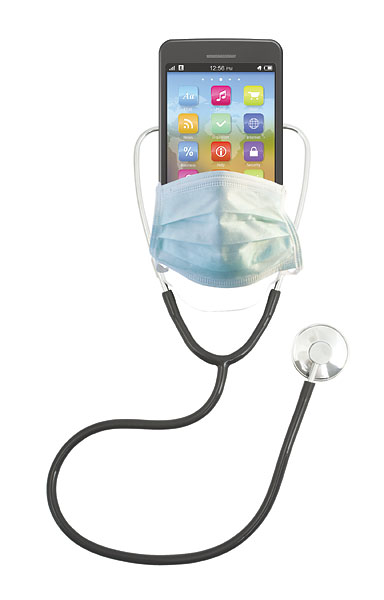
Smartphones as doctors

2 comments
Want to learn how to interpret an electrocardiogram? Track your calories and exercise? Monitor your blood pressure? Find the nearest emergency room?
Say it with me: There's an app for that.
As of May, Apple's iTunes store featured more than 5,900 mobile medical software applications, with the list expanding every day, according to Dr. Thuc Huynh, CEO of ScrubdIN, a medical apps shopping site. Android, BlackBerry, Windows and other smartphones account for even more.
The apps are pretty popular, too: Three fitness products recently broke iTunes' top 75 apps list. And about 9 percent of adults who own a cellphone use an app to track or manage their health, according to a recent Pew Research Center study.
Some health professionals are hesitant to dive into the trend, however.
"A lot of physicians, unfortunately, don't know much about the apps that are out there," said Dr. Joseph Kim, president of Medical Communications Media Inc. "There are so many apps and so many different disease areas, that it's hard for that doctor to be able to give any kind of real helpful advice to their patient unless they're a lover of technology and this is something that they really enjoy learning about."
That holds true among some of South Hampton Roads' major health and medical organizations. Queries to Bon Secours Hampton Roads Health System, Sentara Healthcare, Eastern Virginia Medical School and Children's Hospital of The King's Daughters yielded no recommendations for medical apps from outside developers.
"At this time, because we haven't evaluated and approved any, we have a policy against endorsing anything," said Greg Raver-Lampman, a CHKD spokesman.
CHKD's caution is well-taken.
Kim listed several potential pitfalls and precautions for users of mobile medical apps.
Though more and more hospitals, academic institutions and health-related companies are developing software, so are people with more questionable backgrounds, he said.
That means some apps could be dispensing bad advice. Consider that one of iTunes' most popular free apps listed in the medical category claims to give users a detailed description of their past lives.
Earlier this month, the U.S. Food and Drug Administration proposed guidelines for mobile medical apps. However, they would only be for apps that are used as an accessory to an FDA-regulated medical device or to transform a mobile platform into such a device. Only a small number would be covered.
"Microsoft, Google, Apple: None of them have any kind of stringent criteria or way to really check to see whether or not this information is credible," Kim said.
On the other hand, complicated information in some apps is completely reliable, but meant for health professionals and could be misinterpreted by the man on the street with a cellphone.
For example, "Pocket Eye Exam," a smartphone app developed by University of Virginia physicians and biomedical engineering students, was designed to help health care providers diagnose vision problems.
Some of its features - such as a test for colorblindness and a standard eye chart - are easy for the average person to understand, said Dr. Ivan S. Login, a U.Va. professor of neurology who worked on the project. Another of the app's tests, which diagnoses a particular brain dysfunction based on eye motion, would be difficult to use correctly without the proper training.
"Although it could be a great icebreaker for a party, and sort of fun to use, the interpretation of it would generally be beyond the average person," Login said.
Smartphone users also should beware of anonymous developers.
Scammers can rig apps to harvest and steal personal information from cellphones, Kim said. Software to detect and protect against such problems is not yet common for smartphones, as it is for PCs.
"The danger that people don't realize is that unknown app that's on your device could be doing something that you don't want it to be doing. You may not actually know it," Kim said.
Apple will remove an app from iTunes if users report a serious problem, he said. But there's no recall message for people who already have downloaded the app.
Consumers can avoid such traps by researching an app's developer and steering clear if they can't find reliable information. They also should delete apps from their phones if they no longer use the software, Kim said.
"I don't want to suggest that everyone ought to be paranoid," he said. "I'm saying you need to be cautious."
The same goes for protecting personal medical information.
Because regular texts and emails generally aren't encrypted, their content is vulnerable if someone hijacks a message, Kim said. That makes it unwise to discuss private medical matters with doctors or anyone else using those means.
The best apps for storing health records and communicating with providers are tethered to a hospital's or health plan's electronic systems - unlike the Google Health product which will be discontinued next year, Kim said. With a health provider's system, a mobile user must access the software through a portal that adds a level of security.
Earlier this month, Express Scripts Inc. and Tricare, the government health insurance for active-duty military, their dependents and retirees, launched such a product. The Tricare Express Rx app allows beneficiaries to manage home-delivery prescriptions and find the nearest retail pharmacies in their network.
Locally, Sentara offers a mobile medical records application. Bon Secours Richmond has one, and there's one in the works for Bon Secours Hampton Roads patients.
About 1,500 people have downloaded and logged into the free Sentara MyChart iPhone app since it was introduced in March.
Dr. Meredith Rose wrote in an email that it allows him to communicate more directly with patients when they're not in his office.
"When he leaves my office, he can see an 'after visit' summary which includes the details of our visit," wrote Rose, who is affiliated with Sentara Family Medicine Physicians in Virginia Beach. "He can also confirm his medication list, allergy list, changes in medication. It's very, very helpful to patients."
The most useful medical apps help people form or continue healthy habits, particularly by tracking calories and exercise, Kim said. Often, the software extends to social media, such as Facebook, creating a community of support and accountability.
Nathalie Vandenheiligenberg has seen it work.
People trying to lose weight are more likely to keep up with a food diary on their phones than if they must write out entries and calculate calories by hand, said Vandenheiligenberg, a nurse practitioner with Chesapeake Regional Medical Center.
"It increases the chance for success," she said.
Enhanced by Zemanta
Read more...
Related Posts Plugin for WordPress, Blogger...
 
IoT Vigyan © 2011 Main Blogger - Blogger Template & Blogging Stuff. Supported by PsPrint Emeryville and homeinbayarea.com